Azure AD domains: Configure manual enrollment to join existing devices
Before enrolling devices, administrators can select the method in KACE Cloud that both company and personal devices will use for manual enrollment.
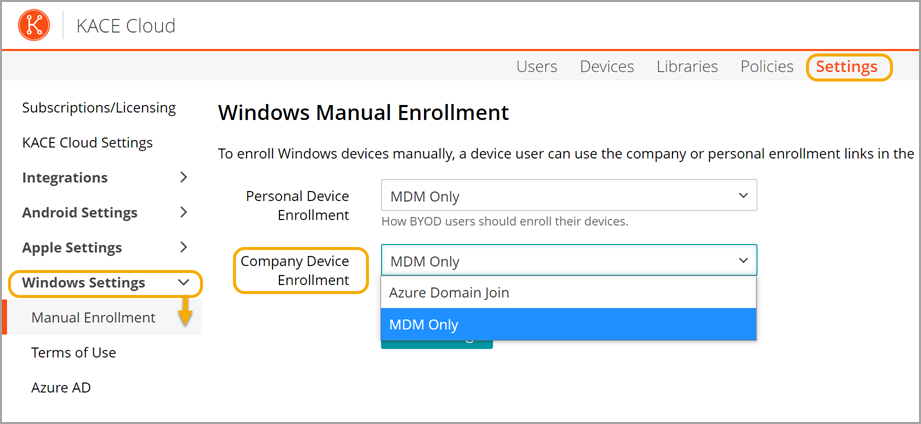
Company devices can be enrolled using Azure Domain Join or MDM Only.
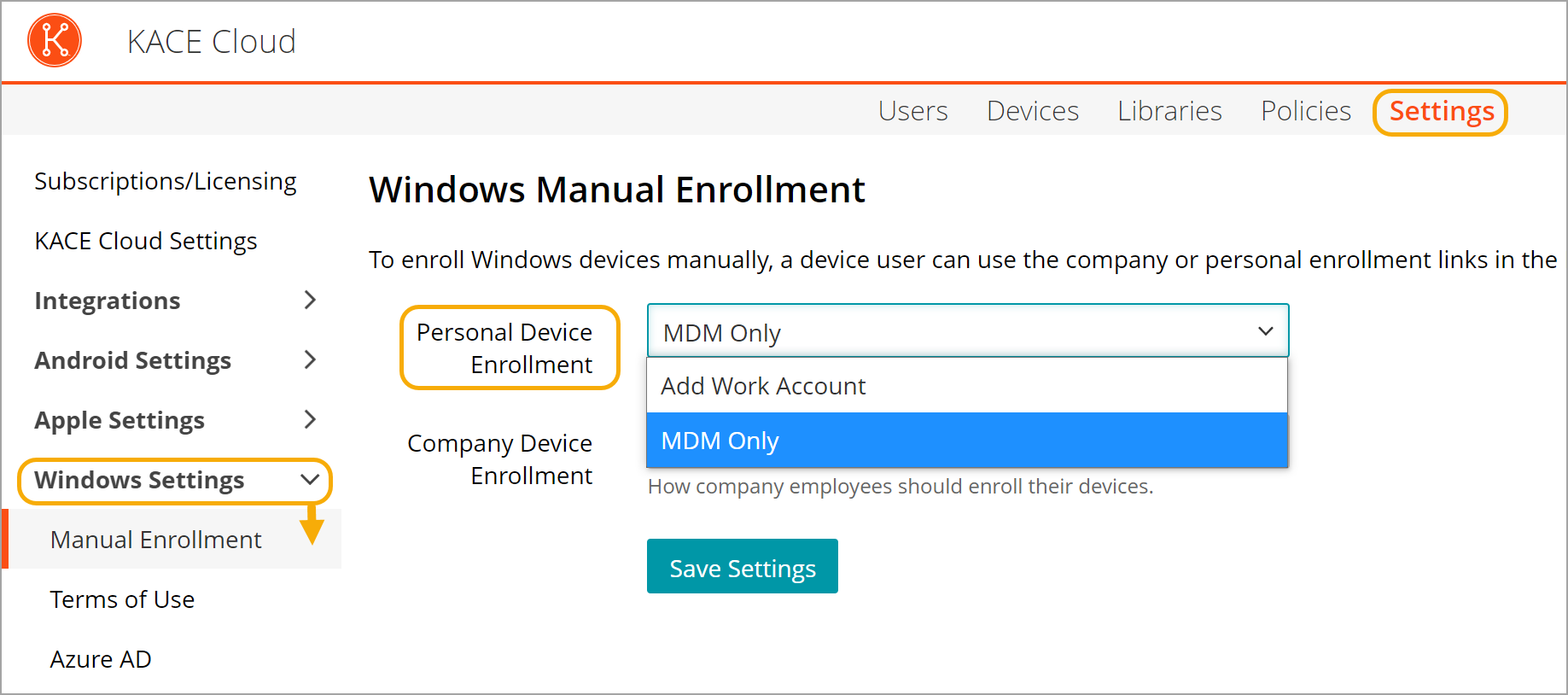
Personal devices can be enrolled using MDM Only or Add Work Account.
KACE Cloud supports enrollment of Windows laptops and desktops.
- Azure Domain Join: Manual enrollment using Azure Domain Join allows existing Windows devices to be enrolled in KACE Cloud and automatically joined to your Azure domain. This option will require the SSO and Azure configuration steps previously mentioned to have been completed.
KACE Cloud supports SaaS Azure AD Joins that come through Autopilot.
- Add Work Account: Add Work Account enrollment links the end user's device to the Azure account and enrolls the device in KACE Cloud, but it does not join the device to the Azure domain. This is a step in between MDM Only and a full Azure AD Join.
- MDM Only: MDM Only enrollment means that no work account is put onto the device. The device is enrolled in KACE Cloud, but not in Azure AD. The device can be provisioned with apps, profiles, and configurations, but the enrollment is only on the MDM side.
To set the enrollment type:
- Go to Settings > Windows Settings > Manual Enrollment.
- Click Personal Device Enrollment and select the desired enrollment type: Add Work Account or MDM only.
- Click Company Device Enrollment and select the desired enrollment type: Azure Domain Join or MDM only.
- Click Save Settings.